A Spotify plugin for your Mac
Stay in
the song.
The lyric you’re on. The music you love.
A little closer, wherever you’re working.
Requires Island + Spotify Desktop · macOS

Preview unavailable. Reload this page to try again.
Your music stays in Spotify.
The words come along with you.
Less switching.
More listening.
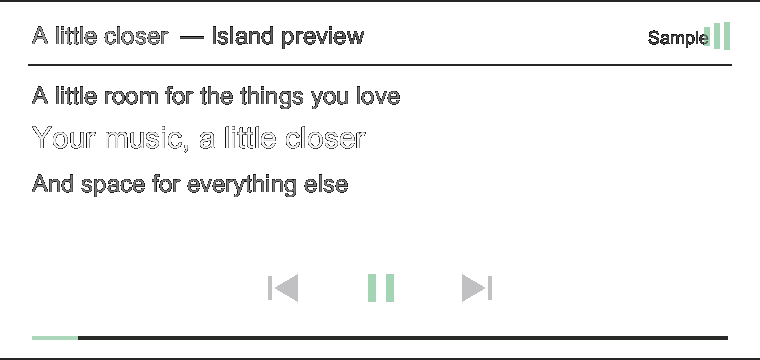
Keep the current lyric beside your work. Spotify for Island follows the Spotify Desktop app through macOS Automation, with synced lyrics from LRCLIB and NetEase. No additional Spotify login is needed. The bundled plugin uses the compact strip; the expanded preview shows another renderer layout.
- Lyrics that keep time
- A synced line follows your playback position. Availability depends on lyric providers and track matches.
- Your desktop session
- Connect through macOS Automation. Keep using Spotify Desktop with the account you already have.
- Playback within reach
- Pause, skip, or go back through the plugin and native companion controls. Keyboard input works while the plugin has focus.
Get connected
Your next song
starts here.
Island is currently available from source. The Spotify plugin builds with the app.
Full Island guide ↗Build Island.
Use macOS 12+, Rust 1.90+, Xcode Command Line Tools, and Python 3.
Build and launchgit clone https://github.com/Sullivansome/island.git cd island ./scripts/dev.sh --onceOpen Spotify Desktop.
Sign in as usual and play a song. The web player isn’t supported.
Allow Automation.
When macOS asks, allow Island to control Spotify. Then return to your music.
Already have Island? Open Market → My plugins to enable Spotify or review a compatible package.
Before you press play.
Do I need another Spotify login?
No. The plugin reads your local Spotify Desktop session through macOS Automation. It doesn’t ask for your Spotify password.
Where do the lyrics come from?
LRCLIB and NetEase. Track information is sent to these providers to find synced lyrics. Some songs don’t have a match.
Can I control playback?
Yes: play, pause, previous, and next through the plugin and native companion controls. While the plugin has focus, use Space and the left/right arrow keys.
What access does the plugin have?
It runs as a native process with your user privileges. Island’s capability list describes host access; it is not an OS sandbox. macOS separately asks for Spotify Automation permission.
Something isn’t working.
Check Automation in System Settings, then restart Island. For incompatible packages, open My plugins and install a current build.
Troubleshooting ↗